
Managing inventory across multiple sales channels is one of the biggest challenges for direct-to-consumer (D2C) brands. Without real-time syncing, businesses risk overselling, stockouts, and operational inefficiencies. The solution? A centralized inventory system that keeps all platforms - Shopify, Amazon, wholesale, and physical stores - updated automatically. Here’s what you need to know:
Disconnected systems cause issues: Overselling, canceled orders, refunds, and poor customer experiences are common when inventory isn't synced across platforms.
Unified inventory systems solve this: These platforms provide real-time updates, reduce errors, and improve forecasting by integrating with tools like ERPs, WMS, and 3PLs.
Key benefits: Fewer stockouts, lower carrying costs, automated restocking, and better demand forecasting.
Steps to implement: Audit your existing systems, choose a centralized platform, connect sales channels, set up real-time syncing, and leverage AI for forecasting.
Platforms like us treamline this process by integrating with your existing systems, automating replenishment, and providing real-time visibility into inventory. Brands that implement these strategies often see reduced stockouts, increased revenue, and smoother operations. Let’s dive into the details.
Step 1: Audit Your Current Inventory Systems and Sales Channels
Before you start syncing inventory across different channels, it’s essential to get a clear picture of what you’re dealing with. Begin by listing all your stock locations - this could include warehouses, 3PLs, retail stores, pop-up shops, Amazon FBA, and wholesale partners. Then, identify the inventory systems managing these locations, such as ecommerce platforms, POS systems, ERP software, WMS, OMS, marketplace portals, or even basic tools like spreadsheets [2].
During this process, you might uncover "shadow systems" - unofficial methods like spreadsheets, email threads, or manual CSV uploads. These often lead to delays and errors, making real-time syncing a challenge [3].
How to Map Inventory Flows Across Channels
To understand how inventory moves, create a visual diagram that tracks the flow from purchase order to customer delivery. Start with your supplier: when you place a purchase order, where does it go first? Typically, it’s sent to a central warehouse or a 3PL facility. From there, trace the inbound process, including receiving, putaway, and any internal transfers, and then map how inventory is distributed to each sales channel. For instance, Shopify orders might be fulfilled by a regional 3PL, while wholesale and retail channels might pull from a central stock source [2].
For every step, document key details like the recording system used, triggers for updates (e.g., barcode scans, API calls, or manual entries), allocation rules, order cut-off times, average order sizes, and return processes [2]. These details are important because different channels operate differently - wholesale orders might reserve stock months in advance, while ecommerce demands near real-time inventory updates [2].
To identify potential gaps, trace the journey of a single SKU. Track how its on-hand, available, and allocated quantities change as it moves through processes like receiving, selling, returns, or even being written off. Look for inconsistencies between systems, delayed updates, or frequent manual overrides - these are signs of broken integrations [2].
Finding System Limitations
Your audit should also highlight where your current tools fall short. Common issues include delays in real-time updates, the inability to manage a shared inventory pool, and a lack of automation for tasks like setting reorder points or managing safety stock [2].
To measure the severity of these problems, track key metrics such as stockouts, oversells, backorders, cancellations, and inventory accuracy. For example, if 5–10% of your ecommerce orders are canceled because items are out of stock, or if physical counts frequently differ from system records by more than 2–3%, these are clear signs of integration issues [1].
Conduct cycle counts on high-turnover SKUs at various locations and compare the results to your system data. Engage your operations, finance, and merchandising teams by asking questions like, “Which inventory numbers do you trust the least?” and “Which sales channel creates the most urgent inventory problems?” Their insights can reveal day-to-day challenges that reports might miss [2].
Finally, frame your audit with the needs of a centralized platform like Tightly in mind. This means ensuring your review covers data from ERPs, WMS, OMS, IMS, 3PLs, and all sales channels. A thorough audit like this sets the stage for choosing the right centralized platform and streamlining your system integrations.
Step 2: Choose a Centralized Inventory Management Platform
Now that you’ve completed a thorough system audit, it’s time to pick a platform that brings all your inventory data together in one place. Without centralization, you’re left juggling ecommerce, marketplace, retail, and wholesale data manually - a recipe for oversells, stockouts, and unnecessary chaos during busy seasons. A centralized inventory platform solves these problems by syncing orders, stock levels, and fulfillment updates across all channels, giving you a single, real-time view of your inventory.
Key Features to Look For in a Platform
When choosing a platform, real-time inventory synchronization should be your top priority. Every sale, return, or transfer needs to immediately reflect across all your channels to avoid delays and errors. Look for systems that handle multi-location management, allowing you to coordinate inventory across warehouses, 3PLs, retail stores, and even Amazon FBA. The platform should let you set rules for how inventory is allocated during demand spikes and define which locations serve specific channels.
To stay ahead of stock issues, automated replenishment is a must. This feature sets reorder points based on demand forecasts, using AI to analyze historical sales, seasonality, promotional calendars, vendor lead times, and minimum order quantities. This not only prevents stockouts but also helps avoid overbuying, keeping your cash flow healthy.
Another critical feature is seamless integration. The platform should connect effortlessly with your ecommerce systems (like Shopify or BigCommerce), marketplaces, POS systems, ERPs, WMS, OMS, and 3PLs to ensure data flows smoothly and in real time. Finally, robust analytics and alerts are essential. These tools help you monitor metrics like fill rates, inventory turnover, and aging stock while flagging issues such as low-stock warnings or delayed purchase orders. With these insights, you can make informed, proactive decisions instead of scrambling to fix problems after they arise.
How Tightly Helps D2C Brands
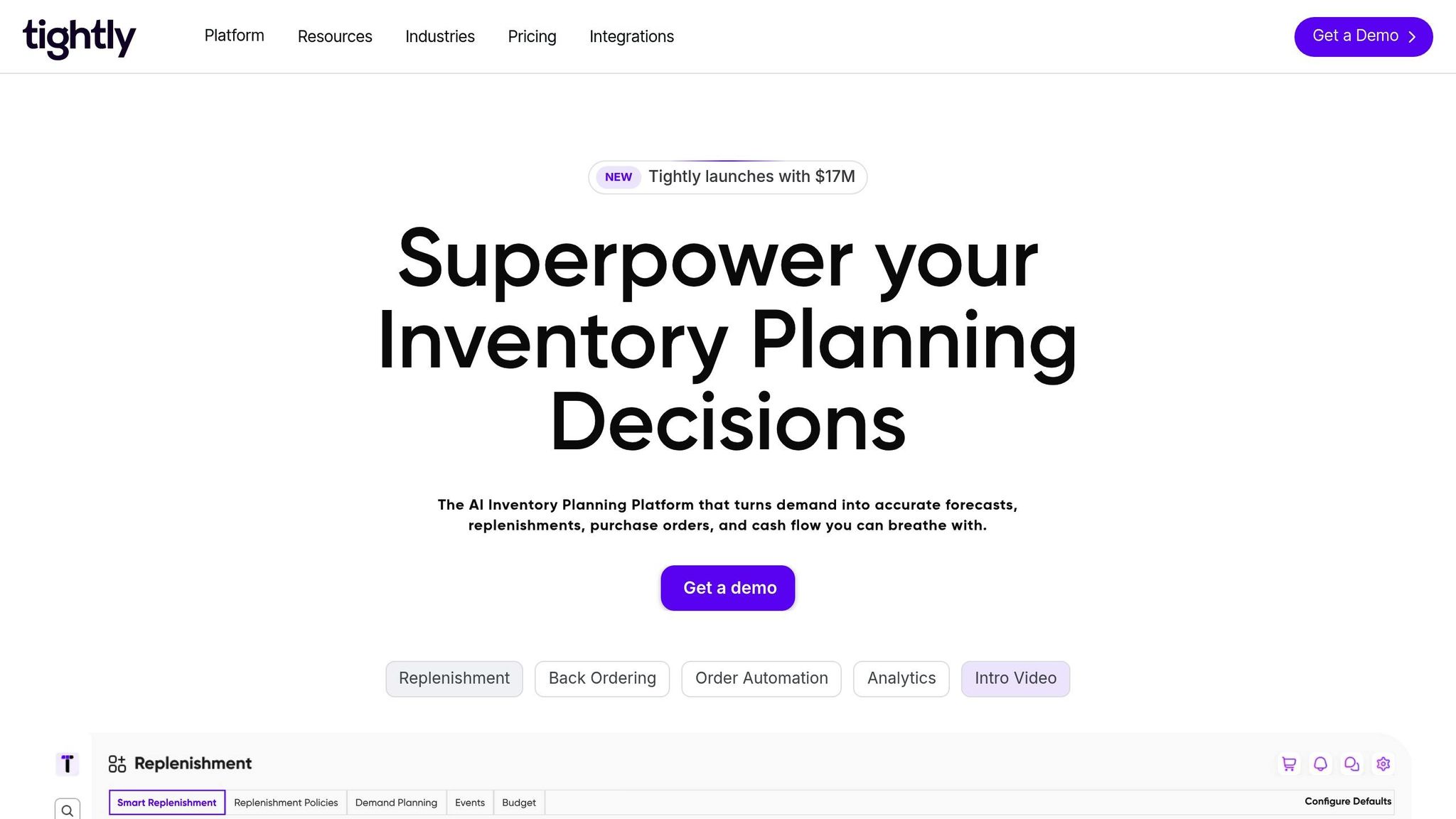
Tightly was designed for omnichannel retailers and D2C brands who need to manage inventory across ecommerce, retail, and wholesale channels. Acting as a Retail Intelligence Platform, Tightly combines AI-driven inventory planning, smart replenishment, and automated purchase orders into one system. It integrates seamlessly with ERPs, WMS, 3PLs, and all your sales channels, giving you a real-time, unified view of your inventory - no manual reconciliation required.
Tightly goes a step further by generating SKU-level recommendations for purchasing and transferring inventory across multiple warehouses and 3PL locations. Its adaptive forecasting accounts for seasonal trends, sales surges, and marketing campaigns, ensuring you always have fast-moving items in stock without tying up cash in slow movers. Plus, Tightly supports back-ordering by displaying clear "Ships on [date]" messages based on purchase order ETAs, so you can continue capturing sales even during brief stock shortages.
Mark Till, Ecom & Ops Director at Face the Future, shared his experience with Tightly:
"The event-driven forecasts were a game changer - campaigns no longer outpace supply. Replenishment Accuracy jumped, dead stock fell, and even when suppliers slipped, we stayed in stock."
Step 3: Connect Your Systems and Channels
Now that you’ve chosen your platform, it’s time to bring all your systems together. This step transforms your scattered tech stack into a well-connected ecosystem where inventory data flows seamlessly between your ERP, WMS, OMS, IMS, 3PLs, and every sales channel you operate. When done properly, this eliminates the need for manual data entry and prevents the spreadsheet chaos that often leads to overselling or stockouts.
Planning for System Integrations
Before diving into integrations, take the time to map out your data flows. Document how inventory moves between your ERP and OMS, your WMS and 3PLs, and how sales from each channel should update stock levels. Standardize SKUs, attributes, and units across all systems to avoid sync issues. This is also the perfect moment to clean up your data - unclean data can cause major headaches during integration.
Start small. Begin your integration process during a non-peak period and connect one channel first - perhaps your ecommerce platform to your WMS. Monitor its performance for two to four weeks before adding other channels like wholesale or 3PLs. Test the system end-to-end by placing mock orders on each channel and verifying that stock levels update correctly in real time across all systems. To ensure everything runs smoothly, set up automated alerts for any sync failures or discrepancies during the first 30 days. Weekly cycle counts can help catch any mismatches between physical inventory and system records.
Tightly's Integration Capabilities
Tightly simplifies the process of connecting your entire tech stack. With one-click integration, it links sales channels like Shopify, 3PLs, WMS, OMS, and ERP systems. Setup is quick, and once connected, orders, forecasts, and purchase orders sync in real time. For example, when a customer places an order on your website, that sale instantly updates your warehouse system, accounting software, and replenishment forecasts - no manual updates needed.
Using native APIs and webhooks, Tightly ensures continuous, delay-free data flow. You can automate reordering based on real-time stock levels and even enable back-ordering by showing “Ships on [date]” messages pulled directly from purchase order ETAs. This keeps sales moving during temporary stock gaps while maintaining customer confidence.
Phased integration testing ensures that real-time syncing works flawlessly across all channels before you fully deploy the system.
Alex Milliard, Operations Manager at Casetronics, shared his experience with Tightly:
"Tightly cut our stockouts from 5% to 1% in 2 months. Forecasts are spot-on and POs send themselves. We unlocked six-figure revenue and finally stopped living in emails and spreadsheets."
For D2C brands managing multiple warehouses, FBA locations, or regional 3PLs across the U.S., Tightly removes the complexity of juggling separate systems. Everything runs through a single source of truth, giving you full visibility and control - without the technical headaches.
Step 4: Set Up Real-Time Syncing and Automated Replenishment
Now that your systems are connected, it’s time to fine-tune how inventory data flows and set up automated restocking. Real-time syncing ensures every sale, return, or stock movement updates instantly across all channels, reducing the risk of overselling. Meanwhile, automated replenishment takes the guesswork out of restocking, using actual demand and lead times instead of relying on manual calculations or intuition.
Setting Up Real-Time Inventory Sync
Real-time syncing pulls stock levels from your ecommerce store, retail locations, and wholesale channels into one centralized dashboard, giving you complete visibility. For instance, when someone buys an item on Shopify, that sale should update your WMS, ERP, and 3PL systems within seconds - not hours or days. This instant syncing prevents situations where the same item is sold on multiple platforms, only to discover you don’t have enough inventory to fulfill all orders.
To achieve this, configure your platform to push automatic API updates. Set the sync frequency to refresh every few minutes. Brands aiming for less than 1% oversell rates typically target sync latencies of under five minutes. Test your setup by placing test orders and confirming that inventory updates in real time across all channels. Incorporate barcode or RFID scanning during the fulfillment process to minimize manual entry errors, which can disrupt inventory accuracy.
This real-time syncing forms the backbone for the automated replenishment strategies outlined next.
Automated Replenishment Strategies
Once your real-time data is in place, you can turn your attention to automating stock replenishment. Start by defining reorder points for each SKU based on factors like sales velocity, lead times, and safety stock levels. When inventory for a product dips below its reorder point, the system automatically generates a purchase order, factoring in supplier requirements such as minimum order quantities (MOQs) and case packs.
Platforms like Tightly’s smart replenishment system use AI-driven forecasting to analyze sales trends and predict when stock will run low. These tools then create purchase orders ready for your suppliers, ensuring you maintain optimal stock levels without constant manual intervention. The system also accounts for lead times, ensuring orders are placed early enough to prevent stockouts. If inventory temporarily runs out, you can enable backordering by showing "Ships on [date]" messages at checkout, using ETA data directly from your purchase orders. This keeps your sales flowing even during short-term gaps.
To fine-tune your replenishment process, group products by demand patterns. High-velocity items might require tighter reorder points and more frequent monitoring, while slower-moving products can handle wider stock buffers. Set up alerts - delivered via email or Slack - to notify your team about low stock levels, purchase order updates, or new recommendations. Regularly audit your inventory to ensure physical counts align with system records, especially within the first month of implementing these processes.
Step 5: Use Demand Forecasting and Safety Stock Buffers
Once you’ve got real-time syncing and automated replenishment up and running, the next step is to stay ahead of the curve by predicting demand and keeping enough buffer stock on hand. Demand forecasting relies on past sales data and AI to predict future needs, while safety stock acts as a cushion against sudden spikes in demand or unexpected delays. Together, these tools help you avoid stockouts and minimize the financial strain of holding too much inventory. Let’s dive into how AI can sharpen your demand predictions.
Using AI for Precise Forecasting
AI-powered forecasting tools take a deep dive into your sales data, analyzing patterns like seasonality, promotional campaigns, and trending products. By inputting 12–24 months of order data from all your sales channels - whether it’s ecommerce, retail, or wholesale - you can create highly accurate demand predictions. Be sure to flag any unusual demand spikes caused by specific campaigns or product launches, so the system doesn’t misinterpret these as ongoing trends.
The results? Brands using AI-driven forecasting have seen dramatic improvements, such as cutting stockouts from 5% to just 1% in a matter of months, while also unlocking six-figure revenue boosts. Platforms like Tightly take it a step further by continuously learning from live sales data, lead times, and inventory levels. They even adjust forecasts daily or weekly, factoring in U.S. holidays like Black Friday, Cyber Monday, and back-to-school season, as well as marketing campaigns and influencer promotions. With this level of precision, you’ll be better equipped to determine the ideal safety stock levels for your business.
Setting Safety Stock Levels
Safety stock is your safety net, protecting against the unexpected - whether it’s a viral social media post that sends demand soaring, a supplier delay, or an underestimated holiday rush. To calculate safety stock, use this formula: (Maximum Daily Usage × Maximum Lead Time) - (Average Daily Usage × Average Lead Time).
Focus on the top 20% of your SKUs, which likely account for 80% of your revenue, and aim for a 98–99% in-stock rate for these key products. For slower-moving items, you can maintain smaller buffers. Adjust your safety stock levels based on the needs of each channel. For example, keep more inventory in locations that support fast 2-day shipping or high-priority retail accounts, and less in areas with longer delivery windows.
Tightly’s AI tools can simplify this process by automatically factoring in variables like demand fluctuations and lead-time risks. They calculate reorder points by combining forecasted demand during lead time with safety stock levels, then trigger purchase orders when inventory dips below that threshold. To fine-tune your safety stock strategy, monitor key metrics like forecast accuracy (aim for a Mean Absolute Percentage Error under 20%), stockout rates (keep these below 5%), and inventory turnover (target 4–6 turns annually). Over time, these insights will help you strike the perfect balance between too much and too little inventory.
Step 6: Test and Optimize Inventory Syncing
Once your centralized system is set up to handle inventory syncing, the next step is making sure it actually works. This means testing every aspect of the system and fine-tuning how inventory is distributed across channels. Start by running tests on all SKUs - especially fast-moving items, variants, and bundles - across your locations. Place test orders, cancel them, and adjust them to ensure updates are reflected in real-time across all channels. Watch for any mismatches, delays, or misconfigurations, and confirm that changes flow smoothly between your centralized system and connected platforms.
To stress-test your system, simulate high-pressure scenarios like product launches or Black Friday sales. Place a surge of orders across your ecommerce site, marketplaces, and wholesale channels simultaneously. Add some operational noise - like late shipments, mispicks, partial shipments, or returns - to see how well your system manages exceptions. Test multi-location scenarios, such as ship-from-store or buy-online-pick-up-in-store, to confirm inventory is adjusted correctly at each location without duplicate deductions. Keep a detailed log of any issues you encounter, categorize them (e.g., timing delays, mapping errors, or process gaps), and address them before scaling operations.
Testing Sync Accuracy Across Channels
With real-time syncing in place, it’s essential to validate accuracy through physical counts and data checks. Perform cycle counts on test SKUs in key locations, such as your main distribution center, top-performing retail store, and 3PL warehouse. Compare the physical inventory to the system’s recorded quantities. Many omnichannel brands aim for inventory accuracy rates between 97% and 99% for their top-priority SKUs. When discrepancies occur, trace them back to specific events to identify where the process broke down.
Track key metrics like sync latency (how quickly stock updates across channels after a change), stockout rates by channel, and oversell rates. High-growth direct-to-consumer brands often monitor these metrics weekly for all SKUs, and daily for high-priority or campaign-driven products. Set up real-time alerts to flag issues as soon as thresholds are breached, so they can be addressed quickly.
Optimizing Inventory Distribution
Once your data is dependable, focus on improving inventory placement. Use metrics like sell-through rates and days of supply per location to identify where stock is over- or under-allocated. Analyze regional demand patterns - such as orders by ZIP code or state - to strategically position inventory closer to customers, which can reduce delivery times and shipping costs. Evaluate how each SKU performs across different channels to determine where inventory should be prioritized when supply is tight. If needed, rebalance stock across locations with inter-location transfers, but only when it’s cost-effective.
Centralizing inventory management through your ERP, WMS, OMS, 3PLs, and sales channels ensures you have a single source of truth. Advanced tools like AI-driven demand planning can simulate different scenarios and recommend optimal stock levels for each location. Smart replenishment systems can also enforce consistent reorder points based on data insights. Integrated analytics make it easier to monitor stockouts, oversells, sync delays, and aging inventory, so you can quickly identify and resolve issues before they impact sales. These insights help maintain a scalable and efficient inventory strategy, keeping your operations running smoothly.
Common Challenges and Fixes for Inventory Syncing
To keep inventory accurate, D2C brands often face hurdles even with integration and real-time syncing in place. One major issue is overselling during high-demand events like flash sales. When inventory updates lag by 15–60 minutes instead of syncing in real time, multiple sales channels can pull from the same inventory pool simultaneously. For example, a D2C cosmetics brand selling on Shopify, Amazon, and through a national retail chain may find the same SKU sold out on all three platforms at once. This results in canceled orders and unhappy customers. To prevent this, event-driven syncing can be implemented to update a centralized ledger immediately. Tools like Tightly act as a reliable source of truth by applying inventory buffers or channel-specific allocation rules, ensuring demand spikes don’t lead to overselling.
Another challenge stems from delayed marketplace stock updates. Weak API connections, batch processing delays, or third-party logistics (3PL) latency can disrupt inventory accuracy. For instance, marketplaces like Amazon may continue selling items that are out of stock elsewhere if they don’t receive timely inventory feeds. Tightly's pre-built connectors and integration monitoring help by catching these failures and triggering automated alerts when sync jobs fail or when stock levels deviate beyond acceptable limits. This allows operations teams to step in and resolve issues before they result in backorders.
SKU misalignment across platforms is another common problem. When products are identified differently in systems like ERP, WMS, ecommerce platforms, and marketplaces, it can lead to phantom inventory and allocation errors. Tightly addresses this by maintaining a centralized product catalog that maps internal SKUs to channel-specific identifiers, standardizes units (e.g., pieces vs. cases), and validates data before syncing. This process ensures clean, consistent data flows across all channels and eliminates duplicate records.
Frequent stock variances with 3PLs also pose a challenge. These occur when 3PL inventory counts don’t match system records, often due to delayed inventory files or differing location codes. Tightly integrates directly with 3PL WMS systems or APIs to pull near real-time inventory feeds. It consolidates on-hand and available quantities across warehouses, while automated variance reports flag any discrepancies. This enables teams to conduct timely cycle counts or investigations before customer orders are affected.
Challenges and Solutions Comparison Table
Challenge | Root Cause | Fix with Tightly |
|---|---|---|
Overselling during promotions | Delayed batch updates; separate stock pools per channel | Real-time syncing with inventory buffers and channel-specific allocation rules |
Delayed marketplace updates | Weak API integrations; infrequent batch jobs | Event-driven API integration with automated sync latency alerts |
SKU misalignment across platforms | Different identifiers in ERP, WMS, ecommerce, marketplaces | Centralized SKU mapping with data validation and standardized units |
Stock variances with 3PLs | Delayed inventory files; inconsistent location codes | Direct WMS integration with automated variance reporting |
High manual adjustment volume | Spreadsheet-based planning; manual purchase orders | Automated purchase orders paired with smart replenishment rules |
Inaccurate available-to-sell numbers | Orders, returns, and transfers not synced in real time | A single, centralized inventory ledger that updates all channels instantly |
Measuring Success: Key Metrics for Inventory Syncing
Start with inventory accuracy rate, which measures how well your system’s records align with physical counts. Most successful D2C brands aim for an accuracy rate between 97% and 99%. For example, if your physical count shows 10,000 units and your system matches 9,700 of them, you’re at 97% accuracy.
Next, monitor your stockout rate, which tracks how often products are unavailable across your channels. You can calculate this by dividing the number of stockout events by either total SKUs or selling days, then multiplying by 100%. For example, if a top-selling SKU is out of stock on your Shopify store for 3 days in a 30-day month, that’s a 10% stockout rate for that product. Leading brands aim to keep this below 2–3% for their A-movers - the top 20% of SKUs responsible for 80% of revenue.
Another critical metric is the oversell rate, which measures how often orders can’t be fulfilled due to outdated inventory data. For instance, if 120 orders are canceled out of 12,000 total orders in a month, your oversell rate is 1%. Brands with real-time syncing often maintain this below 0.5%.
Metrics like on-time fulfillment rate and order cycle time reflect how well inventory visibility supports fast shipping. On-time fulfillment is calculated by dividing the number of orders shipped within the promised handling time by the total orders. For example, if you promise shipping within 2 business days and ship 9,400 of 10,000 orders on time, your rate is 94%. Meanwhile, order cycle time measures the average time (in hours) from when an order is placed to when it’s scanned by the carrier. Faster cycle times indicate better efficiency.
Two additional metrics to track are the fill rate and days of inventory on hand. The fill rate measures the percentage of units shipped on the first attempt compared to the total units ordered. Days of inventory on hand is calculated by dividing the number of units available by the average daily sales. For example, if you have 3,000 units in stock and sell an average of 150 units daily, you have 20 days of inventory - balancing service levels with working capital needs.
By monitoring these metrics, you can identify strengths and weaknesses in your inventory syncing process. Integrated analytics tools make this process even smoother.
Conclusion: Building a Scalable Inventory Strategy
Taking your integrated and automated inventory systems to the next level means creating a strategy that can grow with your business. Inventory syncing isn’t a one-and-done task - it’s the backbone of scalable operations. The steps are clear: start with a system audit, centralize inventory management into a single source of truth, connect all sales channels and fulfillment partners, automate real-time updates and stock replenishment, incorporate AI-driven forecasting and safety stock, and continuously refine your approach using measurable KPIs. Each step builds on the previous one, turning inventory management from a constant headache into a powerful asset that drives growth across ecommerce, retail, and wholesale.
For U.S. D2C brands, scalability is about handling peak sales events, quick product launches, and expanding into new channels without risking stockouts or excess inventory. It’s also about being able to add new Shopify stores, Amazon FBA locations, or retail pop-ups without overhauling your entire inventory system. Platforms like Tightly enable this by consolidating data from ERPs, WMS, OMS, 3PLs, and sales channels into a unified, real-time dashboard. From there, it automates planning, restocking, and purchase order workflows, streamlining operations.
Start by conducting a quick audit to map out inventory flows, reconcile stock across channels, and pinpoint major challenges - whether it’s frequent stockouts of top-selling items, manual purchase order processes, or high return rates due to mis-picks. Use this audit to assess platforms for features like real-time syncing, multi-channel compatibility, AI forecasting, automation, and analytics. Begin with a small-scale pilot - focus on one or two key sales channels and a single warehouse. Set clear goals for the first 3–6 months and monitor progress using Tightly’s dashboards. Once the system proves effective, expand it across your entire operation.
Keep an eye on metrics like fill rate, stockout rate, and inventory turnover - these were covered earlier - to ensure you’re continuously improving. By auditing your processes, testing on a smaller scale, and tracking key metrics, you can grow your operations without adding unnecessary complexity.
FAQs
How does a centralized inventory system help D2C brands avoid overselling?
A centralized inventory system allows D2C brands to keep tabs on their stock levels across all sales channels in real time, helping to prevent overselling. With this setup, orders are processed only when products are actually available, avoiding the pitfalls of overcommitting to customers.
By automatically updating inventory after every sale, the system eliminates mismatched data and minimizes errors. This not only enhances the shopping experience for customers but also simplifies operations across ecommerce, retail, and wholesale channels.
What should I look for in a centralized inventory management platform?
When selecting a centralized inventory management platform, it's important to focus on features that keep your operations running smoothly across all sales channels. Key tools to look for include AI-driven demand forecasting to predict stock requirements with precision, real-time inventory tracking to prevent overstocking or running out of stock, and automated replenishment to simplify the process of managing purchase orders.
Also, consider platforms that provide multi-channel synchronization and multi-location management, along with the ability to integrate seamlessly with systems like ERPs, WMS, OMS, and 3PLs. These capabilities ensure accurate stock management across ecommerce, retail, and wholesale operations, saving you time and improving overall efficiency.
How does AI-powered forecasting help prevent stockouts and improve inventory accuracy?
AI-driven forecasting improves inventory management by tapping into real-time data like demand trends, seasonal shifts, and past sales patterns. This approach enables businesses to predict stock requirements more accurately, reducing the risks of overstocking or running out of products.
By anticipating demand spikes or supply chain changes, it adjusts inventory replenishment proactively. This helps maintain ideal stock levels across all sales channels, ensuring seamless operations and happy customers.
Laura B
Marketing Analyst
Share