Back
Hot to Close the Gap Between Sales Forecasts and Raw Material Inventory
Laura B
Marketing Analyst
In the early stages of retail, growth is usually about reselling. You buy a finished product from a vendor, markup the price, and ship it to a customer. The supply chain is a straight line.
To protect margins and control quality, and differentiate themselves from competitors, growing brands often shift toward Vertical Integration Retail. They begin designing their own goods, sourcing their own fabrics, adding their own packaging and managing assembly, whether in-house or through contract manufacturers. This is especially common in DTC Manufacturing sectors like fashion or home goods, where Apparel Production Management requires obsessive control over every button, stitch, and fabric swatch.
On paper, this move looks brilliant. You own the intellectual property, and your cost per unit drops. But operationally? It is a minefield. This shift creates a massive blind spot that most standard planning software simply can't see. When you are a reseller, your only risk is consumer demand. When you are a manufacturer, your biggest risk shifts upstream. You can forecast the sales of 5,000 jackets perfectly, but if you are missing the zippers, you have zero product to ship.
Suddenly, knowing what you are going to sell isn't enough. You need to know if you have the ingredients to make it.
The Great Divide: Finished Goods vs. Raw Materials
To understand why this update is critical, we first need to distinguish between the two supply chain models. Standard Production Planning Software often fails here because it doesn't distinguish between what you sell and what you buy.
The Reseller Model (Finished Goods): You sell a Blue Jacket. You buy the Blue Jacket from a supplier. The complexity is low because you only manage one lead time.
The Manufacturer Model (Raw Materials): You sell a Blue Jacket. But you don't buy jackets; you buy fabric, zippers, buttons, and thread.
This introduces the complexity of Finished Goods vs Raw Materials. If you forecast selling 100 jackets, you must calculate 200 yards of fabric, 100 zippers, and 500 buttons. If your fabric arrives on Monday but the zippers don't arrive until Friday, production stalls. This is the core challenge of Inventory Management for Manufacturers: managing multiple dependencies and ensuring that your Raw Material Inventory is perfectly synchronized with your downstream demand.
The Problem: When Demand Planning hits a Wall
For brands that assemble products (e.g., apparel, cosmetics, furniture), standard replenishment logic is dangerous because it treats a "manufacturable" product like a "purchasable" product. Previously, if you forecasted a spike in sales for a "Summer Bundle," a standard tool would tell you to "Issue a PO for 500 Bundles." But you can't send that PO because the bundle doesn't exist yet. It has to be assembled. This forces Production Planners and Inventory Managers to retreat into spreadsheets. They have to manually take the demand forecast, break it down into components, and figure out if they have enough raw materials to meet that demand. It is manual, error-prone, and slow.
→ The Financial Upside
However, if you can master this complexity, there is a massive financial advantage: Liquidity.
In supply chain theory, this is known as a Postponement Strategy. Holding inventory as finished goods is expensive as it ties up your cash in a final product that might not sell. If you have 1,000 pre-printed "Summer 2024" t-shirts that flop, you are left with dead stock. But holding Raw Material Inventory is cheaper and infinitely more flexible. If you hold 1,000 blank t-shirts and the ink separately, you keep your assets liquid. You can pivot instantly to print whatever design trends next week.
Tightly’s BOM Software unlocks this capability for the mid-market. It allows you to plan at the component level, enabling you to confidently hold "blank" inventory and only trigger the Manufacturing Order when demand is actually proven. This is essentially Just-In-Time (JIT) manufacturing, allowing you to stop freezing your cash in finished goods and keep your business agile.
Creating the Bill of Materials (BoM)
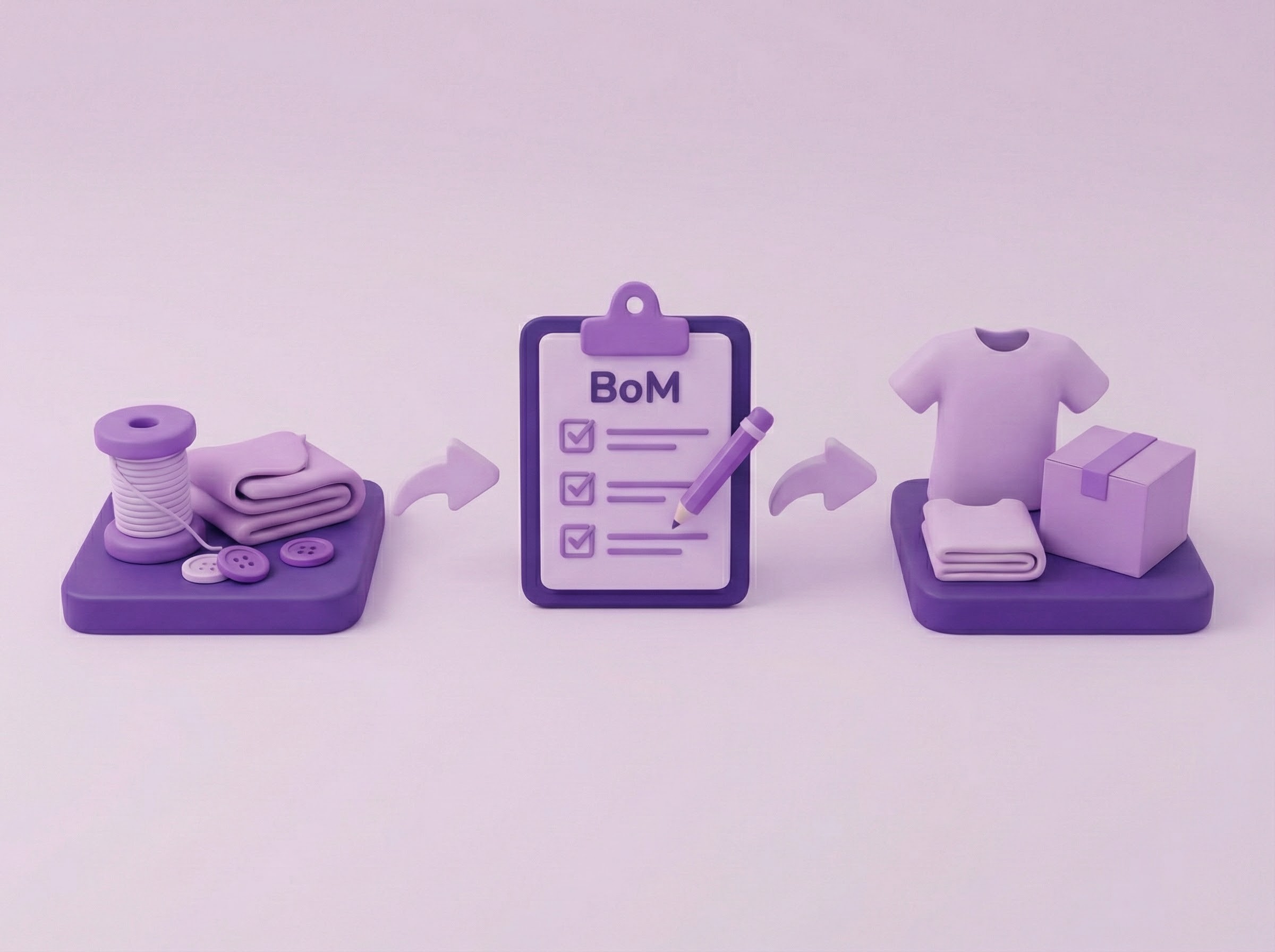
Tightly’s new BoM capabilities automates this by letting you create a digital recipe for every variant. We don't just stop at the finished SKU; we look inside it.
Defining the Inputs: You define exactly which raw materials are needed (e.g., Blue Canvas Fabric, White Thread).
Batch Size Efficiency: Production rarely happens one unit at a time. Tightly allows you to define a Batch Size—for example, baking cookies in batches of 50 rather than one by one.
The Switch: Once a product is marked as "Manufacturable," Tightly stops recommending Purchase Orders (POs) for the finished good and switches focus to planning the materials needed to make it.
Material Requirements Planning (MRP)
This is the core of the update. When Tightly tracks demand for a finished product, instead of telling you to buy the finished good, the system calculates exactly how many raw materials you need to meet that demand. It acts as your Production Planner. It watches your real-time sales velocity and triggers a PO when stock runs low to maintain supply chain visibility.
This is essentially MRP built directly into your replenishment tool.
Drafting Orders: When demand spikes, Tightly recommends you draft a Manufacturing Order, automatically aligning the quantity with your pre-set batch sizes (e.g., rounding up 37 units to a batch of 40).
Automated Logic: This ensures that your Demand Planning for Manufacturing is driven by actual sales velocity, not just gut feeling.
Inventory Allocation and Managing Raw Material Shortages
Drafting the order is step one. Step two is ensuring you have the ingredients and this is the most critical step for preventing inventory discrepancies. Before your warehouse starts building, you must prove you have the ingredients available.
Reserving Stock: When you confirm an order, the system checks your specific manufacturing warehouse and "reserves" the necessary Raw Material Inventory. Tightly essentially scans your raw material inventory. When you hit "Auto Allocate" to lock those materials down, this puts a "RESERVED" tag on those items in the system. This prevents stock cannibalization. It ensures that another sales channel or a different manufacturing order doesn't accidentally sell or use the raw materials you need for this specific job.
Handling Shortages: This is critical for Managing raw material shortages. If you are missing materials (e.g., you have the fabric but not the thread), Tightly flags this shortage immediately. You can click "Add to Basket" to generate a Purchase Order for the missing ingredients directly from the Manufacturing Order screen.
Safety Stock: This visibility allows you to maintain appropriate Safety Stock for Raw Materials, ensuring you have buffers for your most critical components.
Time-Phasing for Reality: Lead Time Management
Knowing how much to buy is easy. Knowing when to buy it is hard. This is where Lead Time Management becomes essential for Supply Chain Planning. Raw materials have their own delivery times. Plus, once they arrive, you need time to assemble them.
Combined Lead Times: You can input "Additional Preparation Time" (e.g., assembly or packaging time) into your BoM.
The Calculation: Tightly combines the supplier lead time for the raw materials with your internal prep time. This ensures you order the ingredients early enough so that the finished product is ready before the customer places their order.
The Finish Line (Production Tracking & Completion)
Finally, you track the lifecycle of the build to maintain supply chain visibility.
In Production: Once materials are allocated, you move the status to "In Production." This tells your team the assembly has physically started.
Completion & ERP Sync: When the goods are assembled, you click "Completed".
The "Ledger" Rule: It is important to note that while Tightly tracks the workflow status, it respects your ERP or WMS as the financial master. Tightly does not overwrite your inventory ledger; it relies on your main system (e.g., NetSuite or Peoplevox) to perform the final math of subtracting raw materials and adding the finished goods to stock.
Why? This prevents double-counting if your warehouse staff scans items as they come off the production line. Tightly assumes you will record the finished goods into your WMS or ERP manually. This design keeps Tightly as the strategic brain for Supply Chain Planning, while your WMS remains the financial muscle.
**Want to dive deeper? For readers who want to understand the exact mechanics of this update, here is a detailed, step-by-step walkthrough of the entire Manufacturing Workflow in Tightly: Bill of Materials & Manufacturing Orders Guide.
BoM in Day-to-Day Use
Marketing teams love Bundles, Gift Sets, and Starter Kits because they increase AOV (Average Order Value). Operations teams hate them because they are a nightmare to track. With Tightly though, you don't need to physically pre-pack 500 gift boxes to plan for them. You can set the Bundle as a Manufacturable Variant with a BOM. Tightly will forecast the demand for the bundle and tell you to reserve the individual items (the raw materials). You get the sales lift of bundling without the risk of "trapped" inventory.
Imagine that in this X scenario, you are trying to manufacture a specific final product to sell.
The Final Product: A specific pair of tights called "Almond / UK 16-18 / L".
The ID: The system tracks this with the unique code 51674159972512 so it doesn't get confused with other sizes or colors.
To create this final Almond product, you aren't knitting it from scratch in this example; you are likely assembling a kit or a bundle. The system requires specific ingredients to make one "run" of this product:
Ingredient 1: The Packaging
Item: Heist Cotton Storage bag (Cream color).
Quantity: You need 100 of these bags for every batch you run.
Ingredient 2: The Content
Item: The Fifteen Sheer Tights Black (Size M / High).
Quantity: You need 50 of these pairs for every batch you run.
You set specific rules for how this "cooking" process works:
Batch Size: You told the system, "I don't make these one at a time." I set a Manufacturing Batch Size (e.g., 40 units) to ensure your production runs are efficient.
Prep Time: You told the system this isn't instant. It takes 12 days of "additional preparation time" (assembly, packing, labeling) before the goods are ready to sell.
The Bottom Line for Enterprise Brands
For mid-market to enterprise brands—specifically those in DTC, apparel, and cosmetics—this update allows Inventory & Purchasing Managers to retire their manual spreadsheets and ensures that Production Planners have a forecast that directly drives material readiness. With Tightly, you aren't just planning for the sale; you are planning for the production line that makes the sale possible.
FAQs
Q: I’m not a factory; I just sell holiday gift sets. Do I really need "Manufacturing" software?
A: If you assemble those gift sets yourself (or have a 3PL do it), then yes. Without this, you probably have to physically pre-pack those boxes just so your inventory system knows they exist. That traps your stock. Tightly’s "Virtual Bundling" lets you plan for the gift set while keeping the individual items liquid until the last possible second.
Q: Does this replace my ERP (like NetSuite) or my WMS?
A: No, and it doesn't try to. Think of Tightly as the "Brain" and your ERP/WMS as the "Bank." Tightly figures out what you need to build and when to build it based on demand. But when you physically finish building the product, your WMS/ERP is still the "source of truth" that records the final stock count. Tightly manages the workflow, not the ledger.
Q: What happens if I have the fabric but I’m missing the zippers?
A: Tightly flags this immediately. When you try to allocate stock to a job, it shows you a "Shortage" alert for the specific missing item. You can then click "Add to Basket" right there to draft a PO for just the zippers, ensuring you don't stall the whole production line over one tiny part.
Q: My factory takes 2 weeks to assemble things after the materials arrive. Does the software know that?
A: Yes. When you set up your Bill of Materials (the recipe), you can add "Additional Preparation Time" (e.g., 12 days). Tightly adds this buffer to your supplier lead times, so it tells you to order raw materials early enough to account for assembly time.
Q: Can I reserve stock for a big VIP order so my other channels don't steal it?
A: Yes. That is what the "Allocation" feature does. You hit "Auto-Allocate," and Tightly effectively puts a sticky note on those raw materials saying "RESERVED." It prevents those materials from being used by other manufacturing orders.
Q: When I click "Complete" on a manufacturing order, does it automatically increase my Shopify/Amazon stock levels?
A: No—and you don't want it to. Tightly assumes your warehouse team is scanning items as they come off the production line. If Tightly also added stock, you’d have double-counting issues. Clicking "Complete" just clears the "In Production" status and releases the raw material allocation; it leaves the final stock count to your WMS.
Laura B
Marketing Analyst
Share